
Skip to content
HYPERDYNE
PinPoint Auditor · for organisations

Every workstation and server, checked from one seat.

Find adult and other inappropriate files on the workstations and servers of your organisation. Designed for schools, businesses and government.

  • Across the network
  • While PCs are in use
  • On a schedule
  • Printable reports
  • Windows workstations and servers
  • PinPoint Portable included
  • Hyperdyne Software since 2002
Enterprise content detection and cleanup

Find the problem before it finds you.

PinPoint Auditor scans the computers on your network for pornography and other files that break your policy. It looks inside images, videos, documents and compressed files, and reads internet history for each user. You review what it finds and decide what to do.

  • Restore lost productivity. A person who views inappropriate material at work is not working, and the habit spreads. PinPoint Auditor helps you find the problem early and deal with it.
  • Recover wasted resources. Files that should not be there use disk space, backup space and bandwidth. Find them, and take the load off your systems.
  • Reduce legal risk. A clean, safe workplace matters more than ever. PinPoint locates problem files and activity so that your organisation can act on them.
How it works

Reach every computer. Look inside the files. Hand over the facts.

Reach

Scan the network, not one PC at a time.

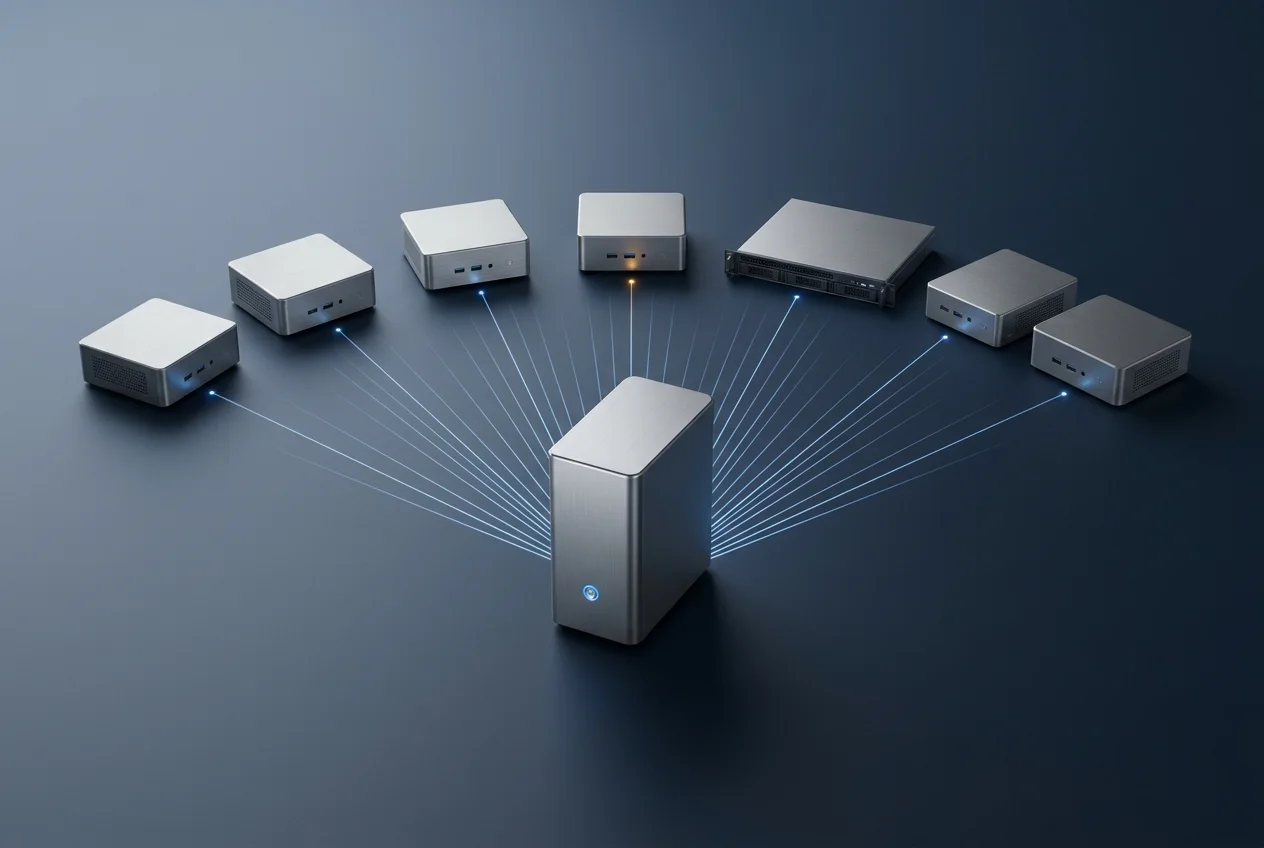
One auditing PC reads many computers. Scans run while people work, in batches, or at night.

  • Scan across the network

    Scan workstations and servers from one or more auditing PCs. Name a computer, give an address, or give a range of addresses. Nobody walks from desk to desk.

  • Scan PCs while they are in use

    Scanning puts little load on the computer it reads, so people keep working. Where a PC or server is busy, a throttle slows the scan down further.

  • Scheduled scans

    Give a start time and a finish window. Heavy scans run at night or at the weekend, when the network is quiet.


Detect

Look inside the files, not only at their names.

Images, videos, documents, compressed files and internet history are all checked, with keyword lists you control.

  • Images and video, checked by content

    PinPoint looks at the picture itself, and at frames taken from each video, not only at file names. Every result gets a suspicion score and the most suspicious come first.

  • Documents and keywords

    Reads the text of documents, file names, and the details stored inside pictures and videos. Built-in keyword lists cover pornography and obscenity, profanity, drugs and gambling. Add your own lists and share them between sites.

  • Internet history, user by user

    Reads internet history for the user profiles on a computer. See the sites each user visited, on which days, and a graph of the time of day.

Report

Turn findings into something you can act on.

Review the results, see which users they belong to, and produce a report for the people who must decide.

  • Reports you can hand over

    Build a report from the items you pick, or let PinPoint build one automatically. Reports can carry thumbnails, scan details and examiner details, and can link to a copy of each file. A report can be compressed and protected with a password.

  • Results by user

    PinPoint records the owner of each file. A report can rank users by the number of suspicious items, so you know where to look first.

  • Review before anything is removed

    See results as thumbnails or as a table, with a preview beside them. Mark files as safe so they are not shown again. Deletion is always your choice, item by item or by selection.

PinPoint Portable

Take the audit to the PC.

Some computers are not on the network: a laptop that comes back from the field, a PC in a workshop, a machine you have been asked to check on the spot. PinPoint Portable runs from a USB drive. Plug it in, scan, and take the results away with you.

  • Runs from a USB drive

    Carry it in a pocket to the computer you must check.

  • Nothing to install

    The computer you scan gets no new software.

  • For PCs off the network

    The same checks, where a network scan cannot reach.

  • Included with site licenses

    Every site license comes with PinPoint Portable.

Prices

Site licenses by the number of systems

Up to 100 systems

$1,295 USD

plus maintenance from year two

For organisations with up to 100 workstations and servers.

Up to 250 systems

$1,995 USD

plus maintenance from year two

For organisations with up to 250 workstations and servers.

More than 250 systems

Ask us

discounted pricing

For organisations with more than 250 workstations and servers.

The first twelve months are included in the purchase price. After that, a yearly maintenance fee of 22% of the purchase price keeps your license active, with product updates, bug fixes and priority email support. If maintenance is not renewed, the license ends at the close of the paid year. Discounts apply for government, education, military and not-for-profit customers.

  • Software updates for the first 12 months
  • PinPoint Portable included with every site license
  • Priority email support while maintenance is current
Coming soon

A new PinPoint Auditor is on the way.

The next version brings the AI detection engine from Snitch 5 to PinPoint Auditor, with new tools such as a USB station that scans devices as you plug them in, encrypted vaults for scan results, Active Directory lookup, dual monitor support and more.

Ask us to tell you when it is ready
Questions

Before you ask for a trial.

How do I try PinPoint Auditor?

Write to us with a few details about your organisation. We will send you a free trial to run on your own network, with no cost and no obligation.

Will people notice their PC is being scanned?

Scanning is designed to have little effect on the computer it reads, so people can keep working. If a system is busy, you can slow the scan down further, or schedule it for the night.

Can it scan servers?

Yes. Scan a server across the network, or install PinPoint Auditor on the server for the fastest scan. It can scan user profiles and user storage.

Can it delete everything it finds in one click?

No, and that is on purpose. Software can be wrong, and a file it suspects may be one you need. You review the results and choose what to delete. You can tick items across many pages and delete them together.

What happens when the new version arrives?

We will write to current license holders when it is ready. Ask us if you would like to hear about it as well.

Try PinPoint Auditor on your own network.

Tell us a little about your organisation. We will send a free trial, with no cost and no obligation.

More than 250 systems? Ask for a quote